
MaptiveIQ - Team Sharing & Collaboration
Teams can share and collaborate on maps!
From your home screen you will see to the right of each map three dots.
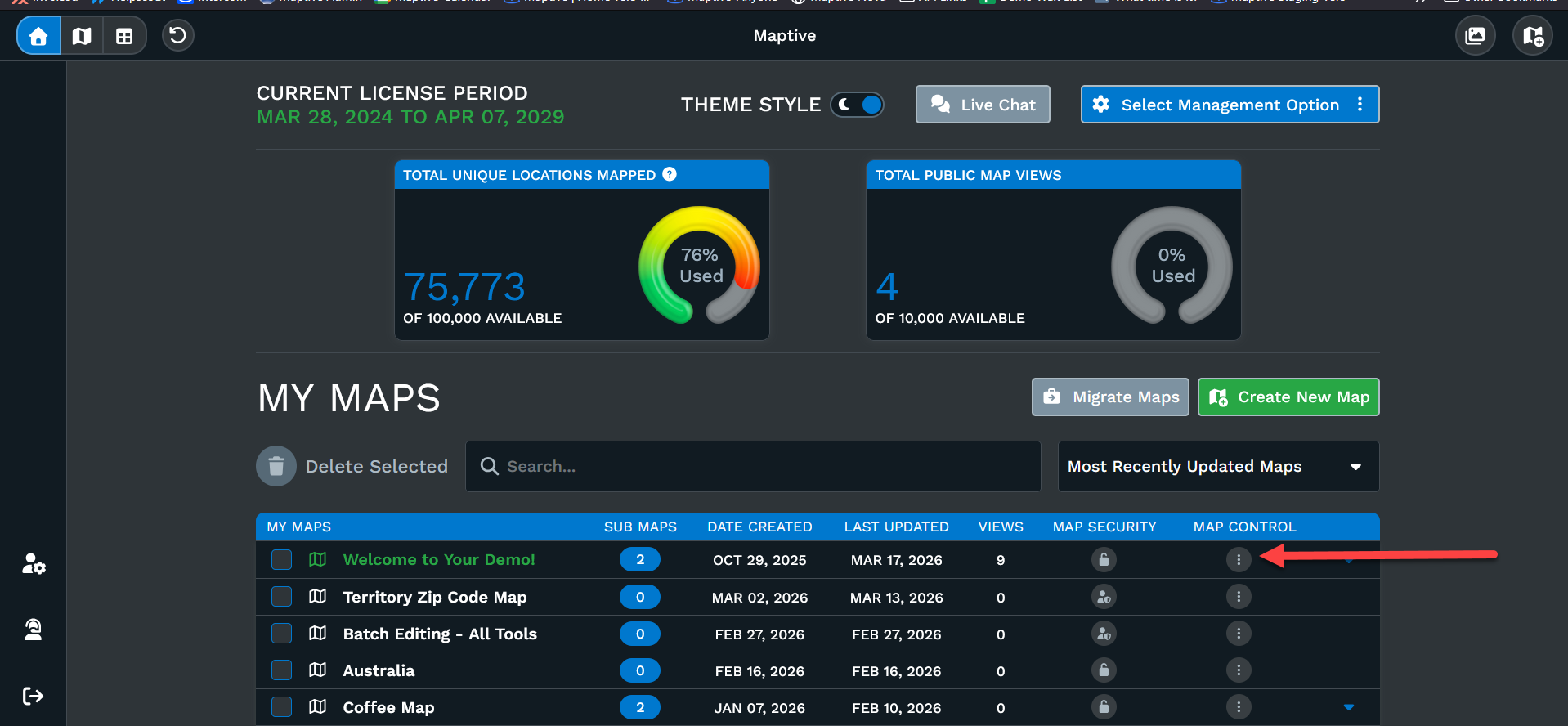
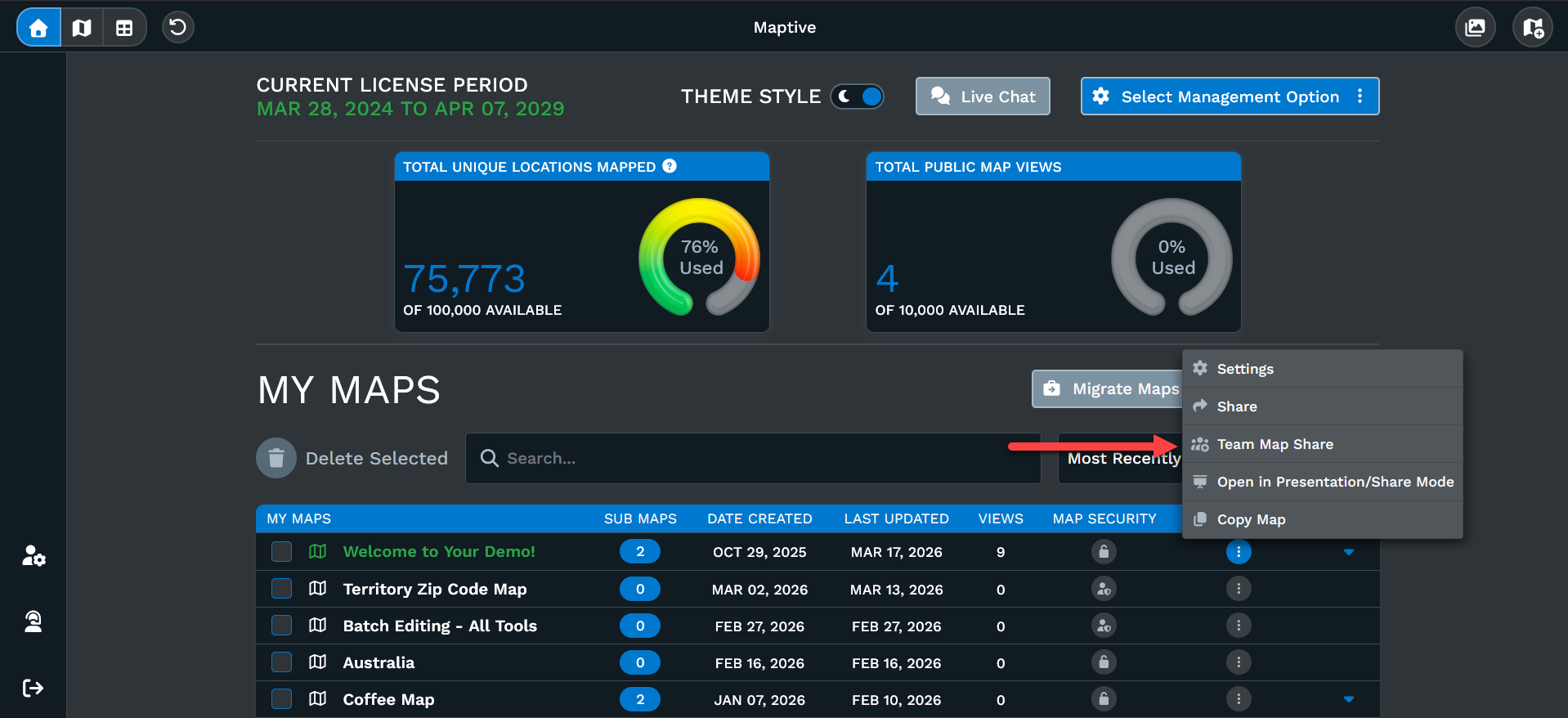
Clicking the three dots you'll be offered several options.
Click Team Map Share. Please note you must have multiple licenses purchased together to use this Team Share.
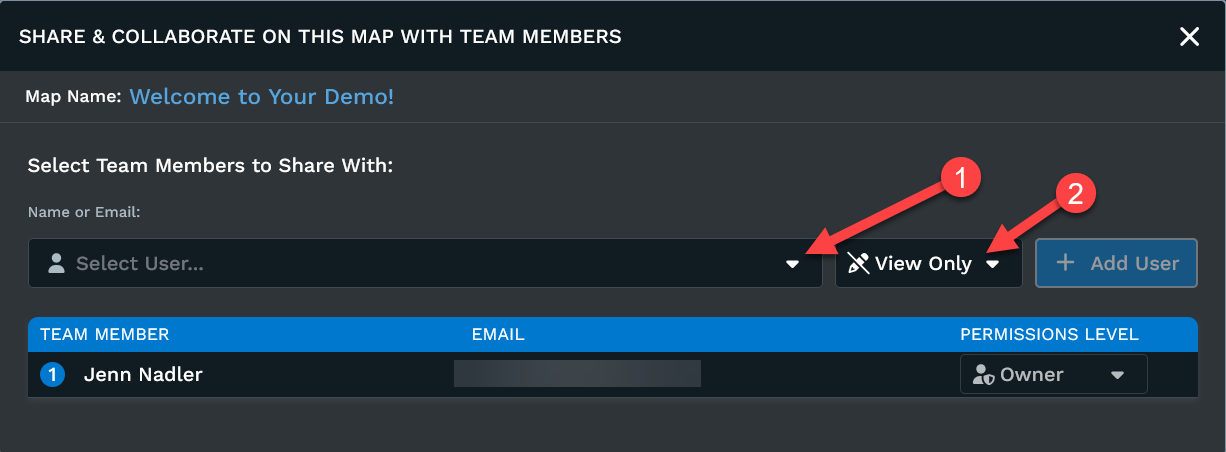
Once the team share dialog box opens:
1: Click to choose the team member you want to share with. You'll need to repeat this for each team user you're sharing with, if sharing with multiple users.
2: Click to choose whether the team user will have editing capabilities or view only. Editing capabilities means the team users can make changes to the map and data.
Please note: Only one user can edit the map at a time. This prevents two users from trying to make contradicting changes to the map settings.