MaptiveIQ - Cluster/Uncluster Dense Markers
Clustering/Unclustering Your Dense Markers Tutorial:
To learn how to cluster/uncluster your dense markers, including your high-density markers (up to our maximum map size of 100,000 markers), follow the steps outlined below:
Step 1: Click the gears on the top left side of the map opening Map Settings.
Step 2: Click the Map Markers/Graphics option.
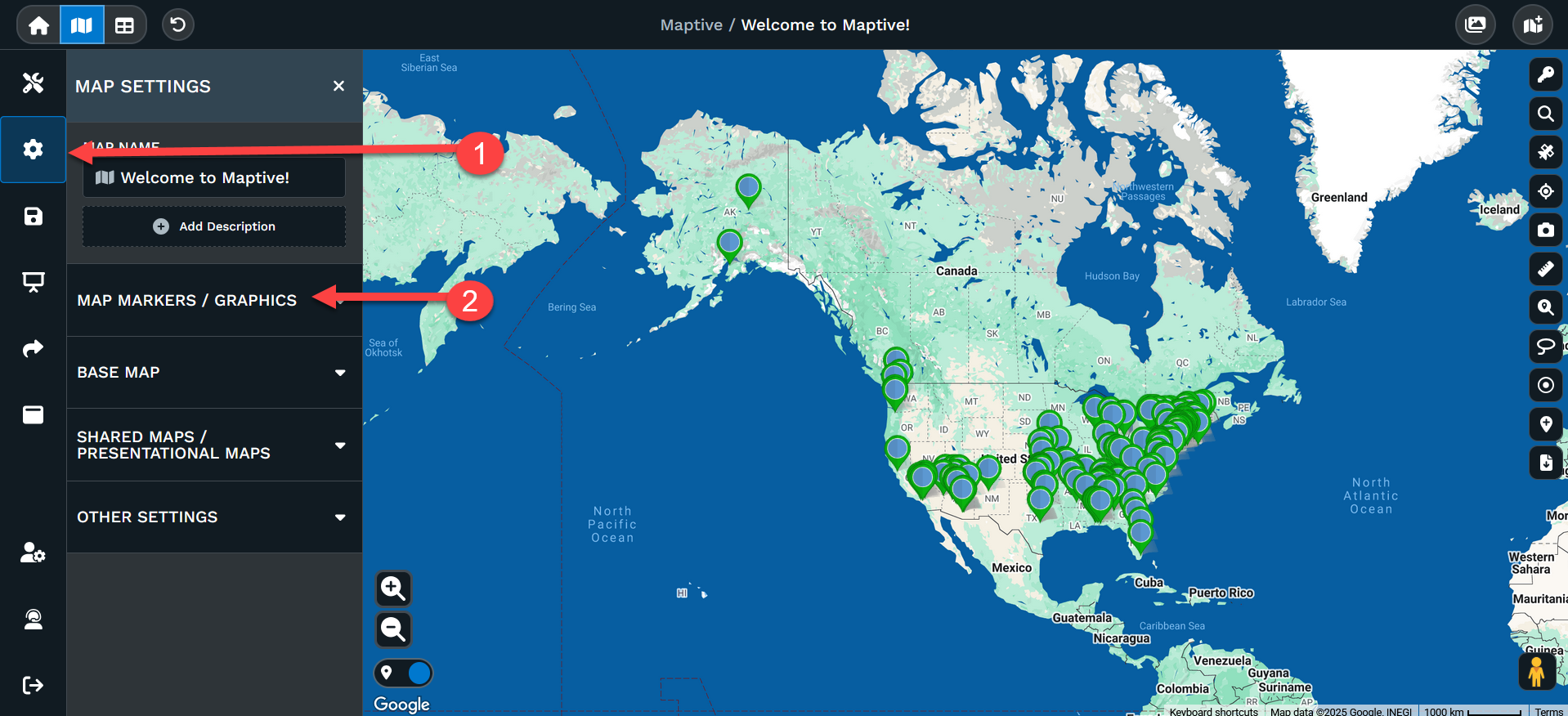
Once the menu option is open you'll see several choices.
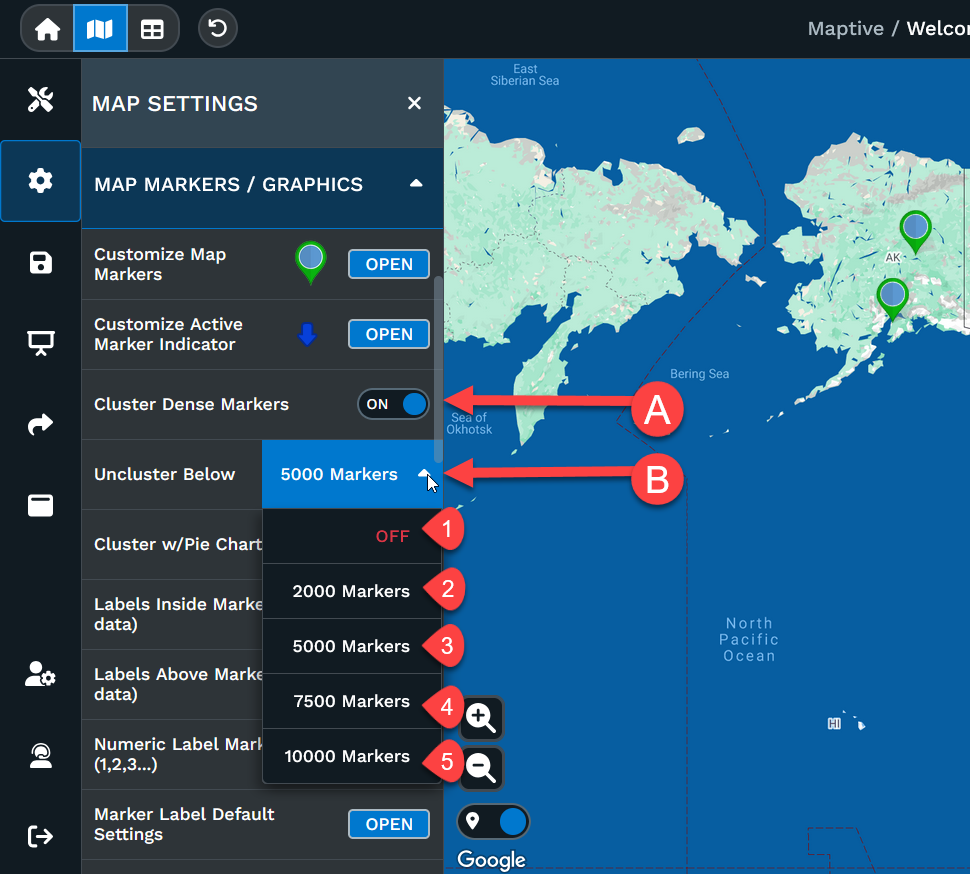
Option A: The default setting is On for Cluster Dense Markers. Turning this off will prevent all clustering of your markers. Please note, this can effect the way you can click on a marker and can slow the load of your map.
Option B: You can set the cluster threshold.
1: Off will cluster your markers no matter how many markers you have.
2: 2000 Markers will uncluster your map when 2000 or less markers are visible.
3: 5000 Markers will uncluster your map when 5000 or less markers are visible.
4: 7500 Markers will uncluster your map when 7500 or less markers are visible.
5: 10000 Markers will uncluster your map when 7500 or less markers are visible.
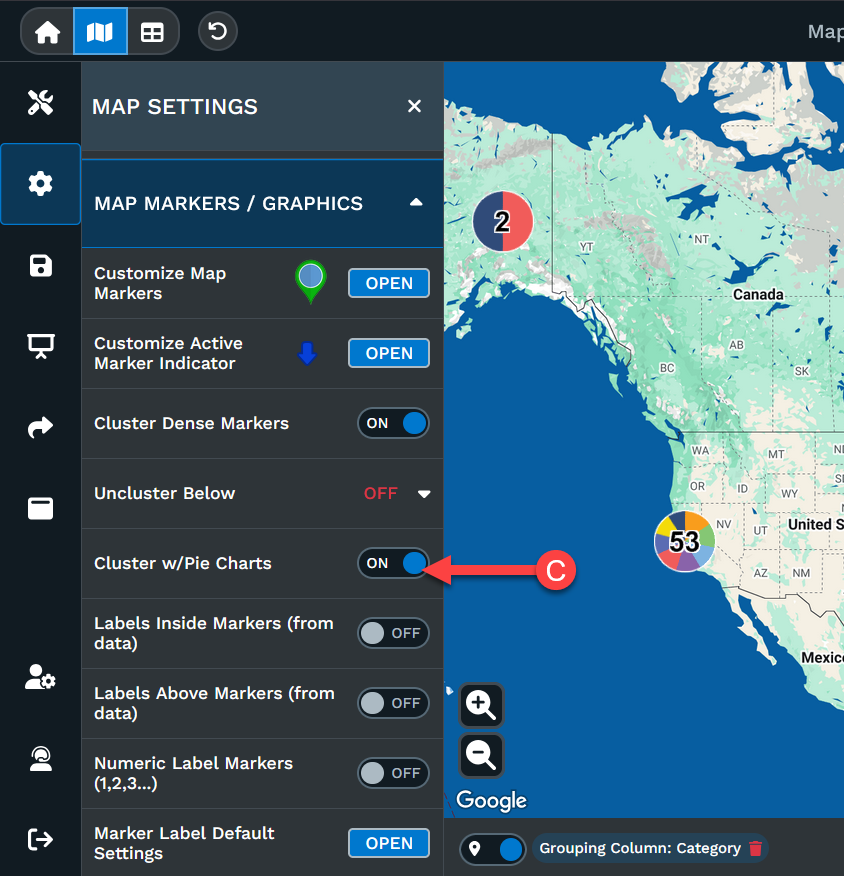
Option C: If you are clustering and using the Grouping Tool you can see those clusters as pie charts instead of just blue circles.